ODosta Inc. Create Your Own Tech World

Artificial Intelligence has become an integral part of our digital lives, and tools like AI Aesta are pushing the boundaries of what AI can do. Whether you are a student, professional, or hobbyist, AI Aesta offers a range of features that make interacting with multiple AI models seamless, productive, and intuitive. In this guide, we’ll explore its features, workflows, and tips to maximize your experience.
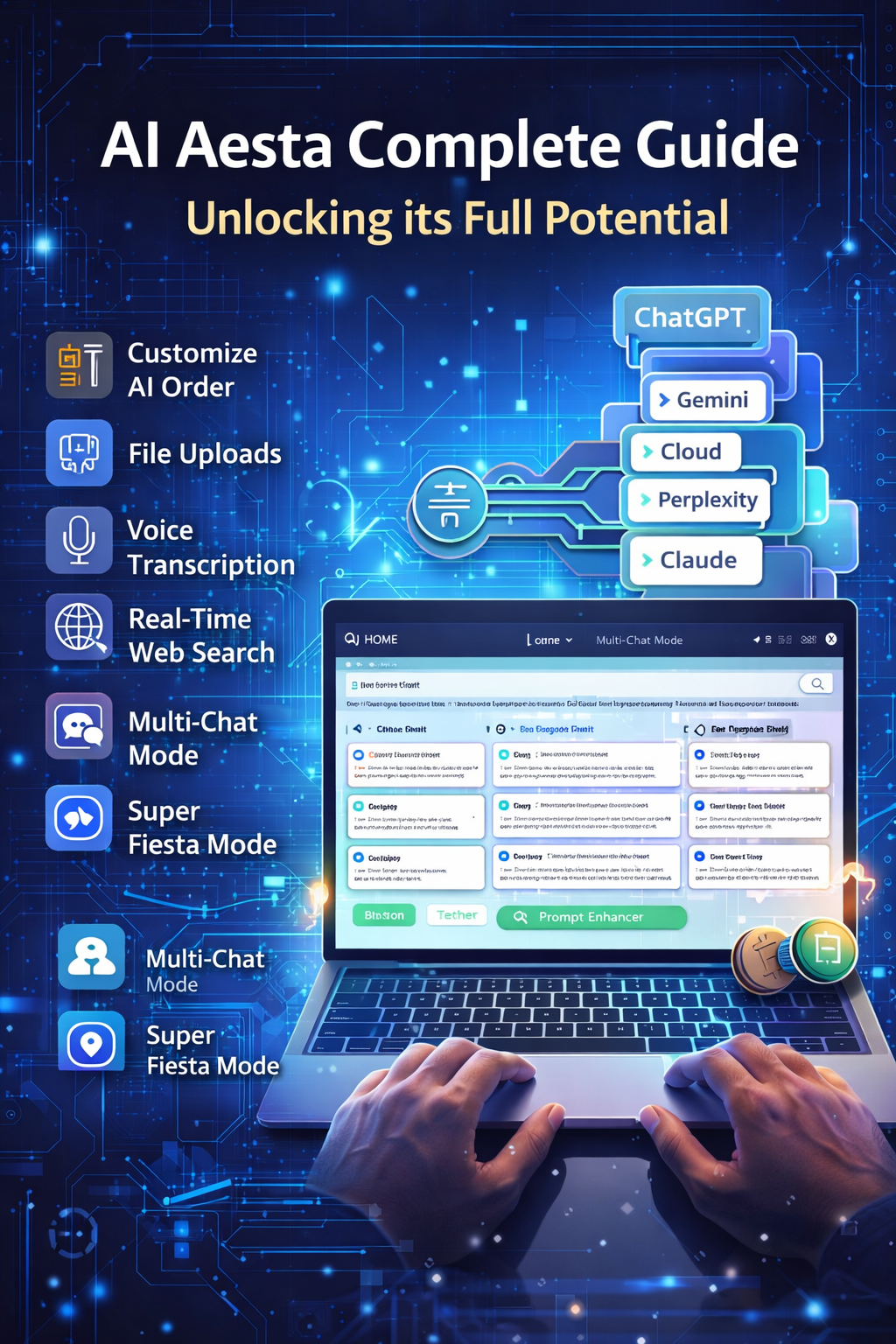
1. Getting Started: The Home Page and Interface
When you open AI Aesta, the interface is designed to be user-friendly. At the top, you’ll notice two main modes:
-
Multi-Chat Mode: Communicate with multiple AI models at the same time.
-
Super Fiesta Mode: Interact through a single chat interface while the system intelligently selects the best AI to answer your queries.
In Multi-Chat mode, you can see which AI models are active and which are disabled. You can toggle individual models on or off with just a click. Additionally, there’s a lesser-known button that lets you focus on a single AI while pausing the rest, perfect for in-depth conversations with one model.
2. Customizing Your AI Experience
AI Aesta allows you to reorder, activate, or deactivate AI models according to your preferences. For example, if you want Cloud AI to appear first instead of ChatGPT, simply drag it to the top in the “Customize Your Chat AI Model Preferences” settings.
You can also set default models for each AI. For instance, if you prefer Gemini 3 Pro, the system will always use this model when opening a chat. This level of customization ensures your workflow remains smooth and consistent every time you interact with AI.
3. Prompt Enhancement for Smarter Conversations
One standout feature of AI Aesta is the Prompt Enhancer. Even if your input contains typos, grammar errors, or incomplete ideas, this tool automatically corrects your text and enhances your prompt to ensure better results.
For example, if you ask for “five ideas for a Class 10 chemistry project”, the Prompt Enhancer not only corrects spelling but refines the question to get the most accurate and detailed answers from all active AI models.
4. Understanding AI Responses
AI Aesta distinguishes between thinking models and instant models:
-
Thinking Models (like Gemini 3 Pro) may take longer to respond but provide highly detailed, high-quality answers.
-
Instant Models (like Perplexity) deliver answers immediately but may be less detailed.
This allows users to choose between speed and depth, depending on their needs.
5. Super Fiesta Mode: AI Without the Noise
Super Fiesta Mode simplifies the interface by showing a single chat window, while AI Aesta’s internal algorithm determines the best AI for your question. This is ideal if you want expert guidance without switching between multiple AI models. You can also switch to another AI if you prefer a different perspective, thanks to the “Try Another AI Model” button.
6. Voice Transcription and Multilingual Support
AI Aesta also supports voice input and transcription. Simply click the microphone, speak your prompt in Hindi, English, or another supported language, and AI Aesta will transcribe it into text for processing.
This feature is particularly useful for students or professionals who want to quickly convert spoken questions into AI-friendly prompts. For example, asking about the top laptops for engineering students in Delhi (2025 edition) will yield detailed recommendations with prices, specifications, and models.
7. File Uploads and Document Generation
Another advanced feature is file handling. You can:
-
Drag and drop files directly into the chat
-
Use keyboard shortcuts (Ctrl+C / Ctrl+V) for fast uploads
-
Generate documents in multiple formats (PDF, DOCX, CSV, XLS)
For instance, if you ask AI Aesta to create a DOC file of the top 50 elements in the periodic table with visualizations, it generates a detailed, ready-to-download document that you can share, print, or save. This feature outperforms similar tools in terms of quality, formatting, and convenience.
8. Web Search and Real-Time Data
Super Fiesta Mode also integrates real-time web search, enabling AI Aesta to pull the latest information, such as news updates or product releases. In Multi-Chat mode, you can selectively activate web search for specific questions.
Additionally, the Download Table feature allows you to export data as CSV or Excel-compatible files, a game-changer for researchers, students, and professionals who need structured data quickly.
9. Multi-AI Collaboration Made Easy
AI Aesta provides 10+ top AI providers and over 35 different AI models (as of December 2025). The system is continually updated: if a new AI outperforms existing models, it will be added automatically.
This ensures that you always have access to the best-performing AI for any task, from academic research to content creation or technical assistance.
10. Maximizing Productivity with AI Aesta
-
Use Prompt Enhancer to refine your inputs
-
Toggle between thinking and instant models depending on speed or depth requirements
-
Customize AI model order and default preferences for smoother workflow
-
Utilize Super Fiesta Mode for intelligent, automated AI selection
-
Take advantage of voice transcription and document generation for effortless content creation
AI Aesta is not just a chat tool, it’s a complete AI productivity ecosystem. Whether you’re managing multiple tasks, conducting research, or generating creative content, AI Aesta streamlines the process, saves time, and ensures high-quality results every time.
Conclusion:
AI Aesta’s combination of multi-AI collaboration, intelligent model selection, document generation, and real-time web integration makes it a powerful platform for anyone looking to harness the full potential of AI. Its thoughtful design and advanced features make complex AI workflows accessible to both beginners and experienced users, while continuous updates ensure you always have access to the latest and most effective AI technologies.